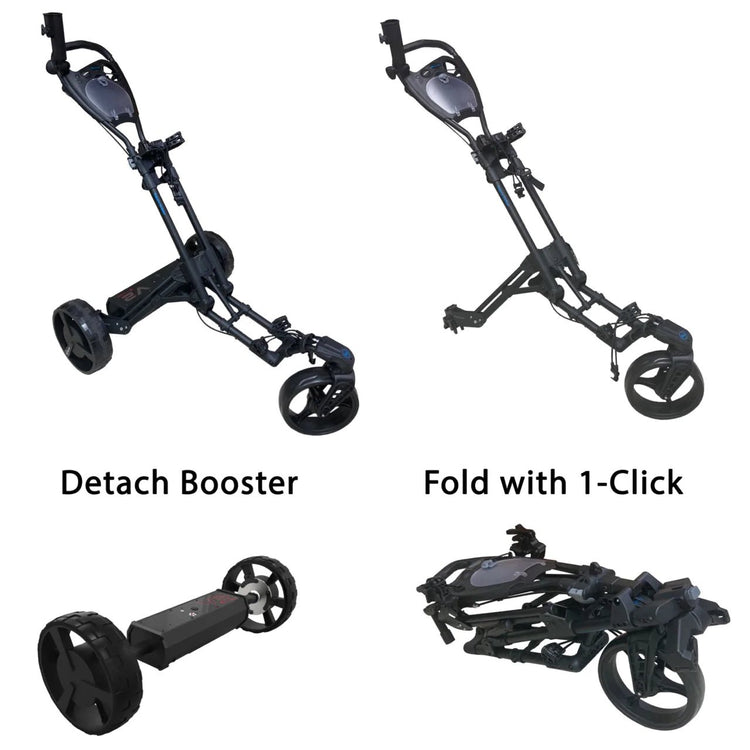
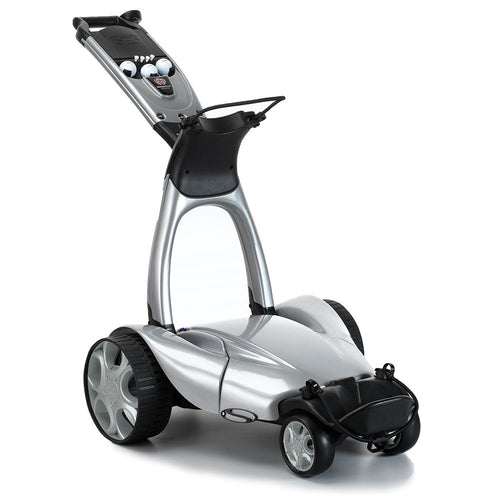
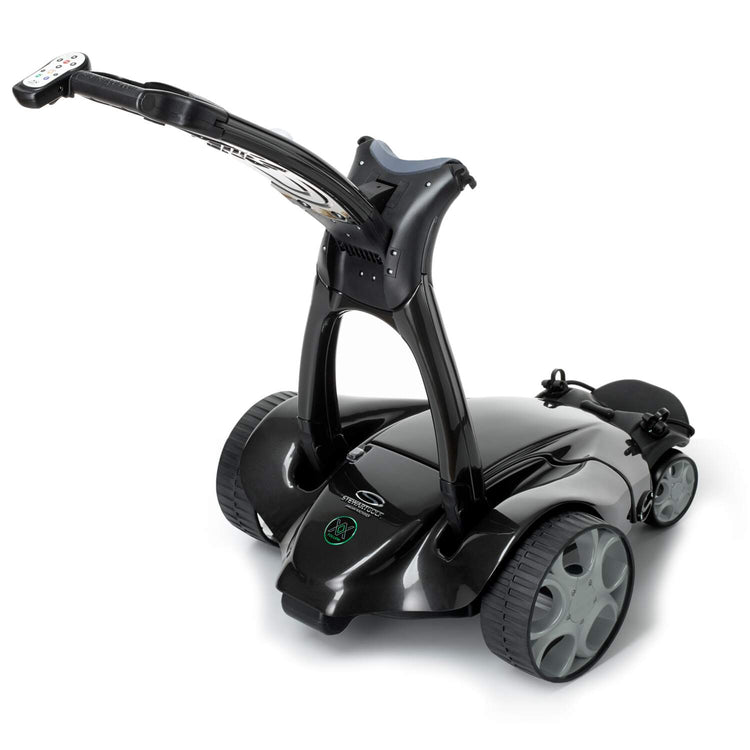
Smart Auto-Follow Instant Fold 0.15m³ Storage Easy Remote Control Power-Assist Mode Supports Up to 36 Holes Games 4+1 Wheel Added Stability
Main Features
36-Hole Marathon Battery (2×18 Holes)
All-Terrain Dominance + Downhill Control + Power Assist
Full-Control Remote (90m Range + 9 Speeds)
Intuitive Remote & Dashboard Control
3-Seconds Folding
Smart NAVEE APP Control
Birdie 3X – Equipped with Advanced Follow Mode, walk hands-free while your cart follows automatically.
For the downhill, the NAVEE Birdie 3X’s speed on a downhill depends on the user’s movement. If the user stops, the Birdie 3X will also come to a stop on the slope.
What accessories are available?
There is an umbrella holder, a cup holder, and a storage mesh pocket.
Estimated delivery within 3-5 business days.
Please note that your tracking information may not be available through the system for up to 72 hours from the time the order is placed.
Watch NAVEE Birdie 3X
SMART CONTROL
Auto-Follow, Total Freedom
Simply press the button, clip the remote to your belt, and walk. Birdie 3X, powered by ultra-precise UWB technology, stays right by your side. Experience true freedom on the course. 100% hands-free, 100% focused on your game.
Pro tip: Wear the remote on your belt for ideal signal sync.
Instant Response, Effortless Control
Birdie 3X reacts instantly to your every move - go, stop, or turn with just a tap. Enjoy complete focus on your game with easy remote control.
Note: Best within 30m range. Responsiveness tested in NAVEE lab conditions.
Smart APP, Unlock More
Control your Birdie 3X right from your phone (up to 200m): adjust speed, check battery, track scores, and customize settings - all in one app.
*Note: Remote range tested in NAVEE lab conditions. The remote control range may vary depending on the phone model. UI for reference only - final features may differ.
ALL-TERRAIN CONFINDENCE
Dual Motors, Unmatched Traction
Dual independent rear-drive motors conquer every terrain —firm fairways, muddy roughs, and 25% inclines —delivering consistent power and precise handling where you need it most.
240W x2 Peak Power
25% Max. Incline
Smart Boost, Easy Climbs
Simply press and hold the red buttons on one or both handles to activate effortless pushing. Birdie 3X intelligently adjusts the assisting force in real-time based on your walking pace - providing natural support when climbing slopes or navigating rough terrain, so you can focus completely on your game. Smart, intuitive assistance that moves with you.
4+1 Wheels, Added Stability
The widened 11-inch tire design delivers confident grip across all terrains while minimizing fairway impact. An additional anti-tipping wheel maintains perfect stability during your game.
Extended Power, Full-Round Confidence
220Wh high-efficiency battery intelligently manages power to complete at least two full 18-hole rounds (36 holes) on a single charge—so you can focus on your game, not your battery level.
COMPACT AND EASY
One-Touch Fold, Compact 0.15m³
Birdie 3X folds effortlessly to a space-saving 68×56.5×38.4cm (approx. 0.15m³) with a single touch — smaller than a standard golf bag. Slide it into your trunk or club storage instantly, and enjoy stress-free transport wherever the game takes you.
Clear Display, Easy Command
The extra-large 140×35mm HD LED screen displays all critical data at a glance, with sunlight-readable clarity for real-time monitoring. Easily monitor and adjust your ride in real time with a central control hub that integrates speed adjustment (9 levels) and a convenient Type-C charging port.
From a shopping cart to a luggage carrier or even a running companion, Birdie 3X adapts to every need with simple add-ons, unlocking endless possibilities.
Please note for Return Policy
Unwanted Items (Not Quality Issues):
If you wish to return or exchange an item within 30 days of delivery, you may do so. Customers will be responsible for round-trip shipping costs plus a restocking fee of $120.
Broken or Defective Products (Within 30 Days):
If your product arrives damaged or becomes defective within the first 30 days, we will provide a replacement part, exchange the product, or issue a full refund — at no cost to you.
Specifications
NAVEE Birdie 3X Specs
Dimension:
1267*565*955mm(Unfolded)
680*565*384mm(Folded)
Rated/Max. Power:
120W*2/ 240W*2
Dual-Drive
Max. Incline:
25%
Speed:
1-9km/h 9 levels
Battery:
21.6V 220Wh
Max. Range:
>36 Holes
Charging Time:
7h
Max. Load:
30kg
Tires:
Front 6” Universal Wheel*2
Rear 11” All-Terrain Wheel*2
Rear Anti-tipping Wheel*1
Net Weight (with/without battery):
17.4kg / 15.4kg
Screen:
LED Display (about 140*35mm), Type-C charging
IP Rating:
IPX5
Anti-tipping Wheel:
Detachable
Accessories:
Umbrella Holder, Cup Holder, Storage Mesh Pocket, Phone Holder
APP:
Yes
Auto-Follow:
Yes
Remote Control:
Yes
Power-Assist Mode:
Yes
Product Comparison
Product Comparison
NAVEE Birdie 3 The Smartest Way to the Green
NAVEE Birdie 3X The Smartest Way to the Green
Without Auto-Follow
Folds to 0.15m³
25% Max. Incline
220Wh Battery Up to 36 Holes
Easy Remote Control
Power-Assist Mode
4+1 Wheels
NAVEE APP
Smart Auto-Follow
Folds to 0.15m³
25% Max.Incline
220Wh Battery Up to 36 Holes
Easy Remote Control
Power-Assist Mode
4+1 Wheels
NAVEE APP
Model Difference:
Birdie 3X– Equipped withAdvanced Follow Mode, walk hands-free while your cart follows automatically.
Birdie 3– Focuses oncore electric performancewithout Follow Mode, offering the same premium build at a more accessible price.
As golf has become one of the most popular recreational activities in the United States, compact electric golf push carts have also emerged as a new type of caddy for golfers, thanks to their lightweight and agile mobility. This installation and usage guide is designed to help golfers better understand and utilize golf carts, enabling them to fully enjoy an immersive and complete course experience.
In this article, we will use the NAVEE Bridie 3X electric golf cart as an example to provide a detailed, step-by-step installation tutorial and demonstrate the cart's self-following usage mode. Let's explore how to use this electric golf caddy.
Step 1: Unpack and check the installation parts
After receiving the golf cart, unpack it and check the delivery list to ensure that all parts are present and in good condition. This includes, but is not limited to: after-sales warranty card, instruction manual, push cart body, charger, remote control, cup holder, umbrella holder, front wheels, rear wheels, and anti-slip wheels.
Step 2: Install the rear wheels
After checking that all the necessary parts are present, take out the trolley body and the two rear wheels. Press and hold the red unlock button in the rear wheel hub, then align the square slots on both sides of the trolley rear wheel position and slowly push it in until it clicks into place. Release the red button. Repeat the same steps for the other wheel.
Step 3: Install the anti-slip wheels at the rear position
Find the square slot in the middle of the rear of the cart. As with the installation of the rear wheels, slowly push the anti-slip wheel assembly into the square slot until you hear a “click” sound to indicate successful installation.
Step 4: Unfolding the frame and handle
Find the red lever near the "NAVEE" logo. Press and hold this red switch to unlock the upper bag support. Then, pull the handle upward and adjust it to your desired position. Finally, push the upper handle forward until it clicks into place. The folding front wheel mount will automatically unfold during this process.
Step 5: Install the front wheels
After fully unfolding the golf cart, locate the black release button below the front wheel mounting frame and hold it down. Then align the silver protrusion on the front wheel with the slot on the frame, push the wheel into the slot until it clicks into place. Repeat the same steps for the other wheel.
After completing the above five steps, the basic frame of the golf cart is assembled. Next, install the included accessories and activate the relevant functions.
Step 6: Accessory Installation
Install the cup holder and umbrella holder
Locate the two recessed slots near the handle. Fit the protruding legs of the cup holder and umbrella holder into the slots and rotate clockwise to secure them in place.
Install the golf bag
Place the golf bag with its legs slightly tilted on the pocket support platform at the bottom of the cart, adjust the direction of the bag, and then use the high-elasticity rope attached to the bottom to secure it to the bottom of the cart. Similarly, unfasten the nylon hook-and-loop strap located in the middle of the column, wrap it around the middle and upper part of the golf bag, and fasten the buckle to secure the golf bag in place.
APP Connection
Turn on the golf cart. You'll see a flashing Bluetooth icon on the dashboard, indicating the cart is waiting to connect. Once your phone is successfully paired and the app is running, the Bluetooth icon on the dashboard will stabilize, indicating the phone is connected.
Remote Control Connection
Find the “+” button below the golf cart dashboard, hold it down while quickly pressing the red button on the right handle 5 times with your other hand. Then take out the remote control and quickly press the menu button 5 times. At this point, the WiFi icon on the display screen will start flashing, indicating that it has entered pairing mode. When the icon turns solid, it means that the remote control has been successfully connected.
Step 7: Unlocking multi-mode functions
Manual Push Mode
When the golf cart is powered on, press and hold the two assist buttons on the handlebar to move forward. Releasing the buttons will stop the golf cart from moving forward.
Auto-Follow Mode
Take out the remote control and press and hold the menu button for 3 seconds to enter automatic follow mode. The trolley will then emit a beep sound and begin searching for a signal. Once pairing is successful, the trolley will beep again and the indicator light on the dashboard will flash to notify you. Finally, place the remote control in your back pocket or belt, and the cart will automatically follow your direction of movement. Note that when pairing the remote control, you must aim the remote control downward toward the cart's power source to ensure a successful connection.
Conclusion
Anyway, assembly and activation of the electric golf cart are quick and easy. Just follow the steps above to enjoy the fun of the electric golf push cart.If you encounter any special issues during installation or have any unique installation tips, feel free to contact us via email or share them with us — after all, the joy of golf also lies in the process of exchanging ideas and solving problems together.
If you prefer a video tutorial on how to set up a golf cart, check out this video.
FAQ
FAQ for NAVEE
Q:How to Activate the Vehicle A: Before using the vehicle for the first time, you must need to activate your vehicle, Vehicle activation steps are as follows: 1. Scan the QR code to download and Install the recommended APP as per the quick start guide manual from the packing box. 2. Power on the vehicle, a blinking Bluetooth icon indicates the vehicle is waiting to be connected. 3. Open the downloaded APP, Click on (Link my device), and follow the instructions to link your vehicle.
Q:How to pair the remote control A: If remote control cant't be used,you need to use the following procedure to troubleshoot: 1. Press the menu button 5 times in a row. The the signal indicator on the dashboard will start blinking to indicate pairing mode. Press the power button or either power assist button to confirm pairing. When both the signal indicator and battery indicator are solidly lit, pairing is successful. 2. Make sure the remote control has power. If it has no power, please charge it.
Q: How to set up a golf bag for a push cart?
A: Most electric golf push carts come with two elastic straps or nylon buckle straps. First, secure the legs of the bag, then adjust the direction of the golf bag, usually with the outer bag facing backward, so it's easy to take things out of the bag. Finally, secure the bag with the straps. The NAVEE Birdie 3X golf push cart is equipped with a buckle strap and high-elasticity rope at the middle and bottom, effectively securing any style or brand of golf bag.
Q: Is the battery in an electric golf cart removable? How do I install or remove the battery?
A: Yes. Most electric golf carts have removable batteries. Installing and removing the battery on the NAVEE Birdie 3X is very simple. The process is as follows:
Install the battery: Place the battery on the push cart and slide the battery connection switch to ON to connect the battery.
Remove the battery: Slide the battery connection switch to OFF to disconnect the battery, then press and hold the release clip and grip the battery handle slots to lift the battery.
Q: How to quickly fold a foldable golf cart?
A: The process is simple, broken down into three specific steps:
Step 1: Press and hold the red lever button and move the upper handle backward until it contacts the handlebars.
Step 2: Fold the handlebars downward toward the vehicle until they contact the frame. Gently lift the front tire, and it will automatically retract.
Step 3: Finally, press and hold the red lever and lean back until it clicks into place.
Q: Is an electric golf push cart worth it?
A: Of course. Electric golf carts can effectively improve a golfer's focus and stamina during a round, especially for those who prioritize comfort, performance, and a more enjoyable game.
Q: Why won't my electric golf cart go forward or back?
A: First, check the cart's battery connections and the physical on/off button for proper function. If both are fine, then the issue may lie with more internal and complex components such as the engine or solenoid valve. Consulting the manufacturer or a professional for inspection and repair is a wise choice.
Q: How to quickly unfold a golf push cart?
Step 1: Press the red button to unfold the upper handle and pull it upward until it is fully upright.
Step 2: Continue pulling upward while holding the handle, and the folding wheels on both sides will automatically unfold.
If you want to adjust the handle position, continue pressing the red button and push it toward the handle. Once the handle is adjusted to your desired height, push the upper handle back until it is fully locked.
Q: Can you push an electric golf push cart?
A: Yes, most modern electric golf carts can continue to push even if the battery is depleted or the power is lost—thanks to a built-in flywheel or manual mode. For more information on how they work and selection guidelines, please read this article - Can You Push An Electric Golf Trolley?
NAVEE Electric Golf Push Cart General FAQ
Q: How to power on or power off?
Fully charge the push cart before use.Then, unfold the vehicle. There is a power button on the lower right side of the dashboard. Press it shortly to turn it on, and long press it to turn it off (3S).
Q: How to charge the battery?
The following two methods can be used to charge: 1. Remove the battery. There is a charging port on the left side of the battery. Connect it directly to the charger to charge. 2. Slide the battery connection switch to OFF to disconnect the battery. There is a charging port on the left side of the battery. Connect it directly to the charger to charge.
Note: When charging, first insert the charger’s charging port into the battery, and then insert the charger plug into the power source.
Q: How long does it take to fully charge the battery?
Full charge takes approximately 7 hours. The push cart is fully charged when the LED on the battery charger turns from red to green.
Q: How to remove the battery?
Slide the battery connection switch to OFF to disconnect the battery, press and hold the release clip, and grip the battery handle slots to lift the battery.
In daily use, try to avoid completely drain the battery before charging, and try to charge as you use it, which can greatly extend the battery life. In addition, the battery can achieve a higher range and performance when used at room temperature. If used in an environment below 0°C, the battery life and performance will decrease. Typically, at -20°C, the range may be only half or less than at room temperature. Avoid using the battery in an environment below 0°C or above 45°C. Avoid storing the battery in an environment below -20°C or above 50°C. When the Golf Push Cart is not used for more than 30 days, please charge the battery to about 80% and store it in a cool and dry place. It is recommended to fully charge it every 1-2 months to extend the battery life.
Note:
1. If the battery is not charged in time, it is likely to cause over-discharge and damage. This damage is irreparable. The damage caused by not charging for a long time will not be able to be recharged again and it will not be covered by the free warranty. 2. Once the battery is fully charged, unplug it to prevent overcharging, which can damage the battery over time. 3. The battery should be charged at a temperature between 0°C and 40°C. Otherwise, the battery may be damaged. 4. If the vehicle is not used for a long time, ensure that the battery is charged to at least 80% every six months and stored in a cool, dry place to avoid high temperatures and humidity.
No. The charger that comes with the vehicle can only be used for charging the corresponding complete vehicle. Similarly, non – original chargers should not be used to charge the complete vehicle either.
Q: How to connect the golf push cart with NAVEE APP?
1. Download the NAVEE APP from Google play or Apple store. 2. Power on the golf push cart, then open the APP, select Add Device, the app will automatically search for nearby vehicles, after identifying the vehicle, click Bind, and follow the prompts to complete the binding
Q: How to charge the remote control?
1. Please use a Type-C charger to charge the remote control. 2. Full charge takes approximately 6 hours. The remote control is fully charged when the LED changes from flashing to steady. You may also charge it via the charging port on the control panel.
Q: How to use the remote control?
1. Fully charge the remote control before use. 2. To pair the remote control: Press the menu button 5 times in a row. The the signal indicator on the dashboard will start blinking to indicate pairing mode. Press the power button or either power assist button to confirm pairing. When both the signal indicator and battery indicator are solidly lit, pairing is successful. 3. Then press the button to move forward, backward, left, and right accordingly. 4. Remote control distance is greater than 10 meters, and can reach 50 meters without obstruction.
Q: How to enter Auto-Follow Mode?
1. This function only for Birdie 3X. 2. Press and hold the menu button for 3 seconds. The cart will beep and begin searching for the signal. Keep the remote by your side with arms relaxed. When pairing is successful, the cart will beep again and the dashboard light ring will flash. Place the remote in your back pocket or waistband; The cart will follow automatically.
Q: How much charging current can Type-C provide?
It can provide a maximum of 5V1.5A DC power.
Q: What is the maximum load?
The maximum load is 30kg.
Q: What is the push speed?
The speed can be set arbitrarily from 1 to 9 km/h according to its own pushing speed or remote control speed
The rated power is 120W, Max power 240W, and there are two motor. The motor type is a brushed reduction motor.
Q: What accessories are available?
There is an umbrella holder, a cup holder, a phone holder, and a storage mesh pocket.
Q: What is the size of the dashboard display?
The size of the dashboard display is 140mm*35mm, LED display.
Q: How waterproof is the golf push cart?
Waterproof grade is IPX5, can withstand rain and water washing
Q: What is the mileage on a full charge and the Max. Incline?
The mileage is about 30km, more than 36 holes, and the Max. Incline is 25%.
Note: Battery mileage:Battery with full charge, a 30kg load, an ambient temperature of 25°C, a flat asphalt road with no wind, and a constant speed of 9km/h. Driving on grass, uphill, or with excessive load will reduce range
Q: What are the front and rear wheels?
Removable front and rear wheels: Front 6″ Universal Wheel*2 Rear 11″ All-Terrain Wheel*2 Rear Anti-tipping Wheel*1
Navee provides after-sales service to customers in accordance with the relevant laws and regulations of the sales region. This policy applies to Navee Electric Golf Push Carts.
Scope of Application
NAVEE provides warranty services for products sold through official or officially authorized channels. Products purchased through unauthorized channels are not covered by this policy. Products purchased within a country are eligible for warranty services only in the country of purchase. If the product is purchased within any EU member state, the warranty service applies across all EU member states.
Warranty Service
If a product exhibits non-human-induced quality issues within a certain period from the date of purchase, and after confirmation by Navee personnel or authorized personnel, Navee will provide warranty service. The warranty period for the machine and parts is as follows:
Type
Warranty Period
Part Name
*Remark
Main Components
Two Years
Golf cart main body, Battery
The actual warranty period is actually in accordance with the regulations of each country
Other Components
One Year
Front wheel set, Rear wheel set, Anti-roll wheel, Charger, Remote control, Net bags, Umbrella holder, Cup holder, Phone holder, Elastic rope hook
The warranty period starts from the day after the date indicated on the invoice. For online orders, the warranty period starts from the day after the product is signed for. If the customer cannot provide a valid proof of purchase, the warranty period is calculated as 3 months from the product’s production date.
Non-Warranty Coverage
The warranty service will be terminated in the following cases:
The damaged part is beyond the warranty period.
The customer cannot provide the warranty card or invoice, or the information on the warranty card does not match the invoice.
The product is damaged due to human factors.
The product is damaged due to force majeure.
The user did not use, maintain, or adjust the product according to the user manual, leading to damage.
The product is forced to be used beyond normal conditions, causing failure or damage.
Disassembly or repair by non-Navee authorized professionals.
Intentional damage to the warranty card content and product information, including scratching, tearing, or alteration.
Other product failures and damages not caused by product design, manufacturing, or quality issues.
The customer uses the product for commercial purposes.In these cases, the user will need to pay the corresponding repair costs.
Out-of-Warranty After-Sales Service Policy
For products that do not meet the warranty terms but are eligible for repair, Navee offers paid repair services. The repair costs include shipping fees, parts fees, and labor fees. For more details, please contact your local dealer. If the same part experiences the same issue within 3 months after the repair, Navee will provide free repair services.
Liability Disclaimer and Limitations
Navee does not assume, nor has it authorized anyone to assume on its behalf, any other obligations or liabilities related to the product, its components, accessories, service repairs, or this limited warranty. Navee is not responsible for any loss of use of the product, its components, or accessories, or for any inconvenience or other losses or damages arising from any defect in the product, its components, accessories, or service repairs. Furthermore, Navee is not liable for any incidental or consequential damages that the purchaser may incur.
This limited warranty is the only warranty applicable to the product and its components, accessories, and service repairs. Navee and its affiliates disclaim all other express or implied warranties, including implied warranties of merchantability and fitness for a particular purpose, except for warranties implied by applicable law that cannot be excluded, limited, or modified. To the extent permitted by law, any such implied warranties are limited to the duration of this limited warranty, or to the duration prescribed by applicable national/state law, whichever is shorter. Some countries/states do not allow limitations on the duration of implied warranties, so the above limitations may not apply to you. Additionally, some countries/states do not allow the exclusion or limitation of incidental or consequential damages, so the above limitations or exclusions may not apply to certain purchasers.
Navee’s total and aggregate liability for any and all claims arising under this agreement, as well as any and all applicable warranties at law, is limited to the repair or replacement of any defective product at Navee’s sole discretion. All incidental and consequential damages are excluded, except where such limitations and exclusions are prohibited by applicable law. Some countries/states do not allow the exclusion or limitation of incidental or consequential damages, so the above limitations or exclusions may not apply to you.
Contact Us
For more information about products and services, please visit the Big Horn Golfer official website: https://bighorngolfer.com/ You can view product technical support videos and find local service center through the website. If you find that the product is defective, please contact your local dealer or contact Navee through the official service email, The email list is as follows: returns@bighorngolfer.com
During the after-sales service process, customers may need to provide proof of purchase and relevant information of the consignee. Navee will ensure that the relevant information provided by the customer is only used to provide services to the customer.
Return policy
Unwanted Items (Not Quality Issues):
If you wish to return or exchange an item within 30 days of delivery, you may do so. Customers will be responsible for round-trip shipping costs plus a restocking fee of $120.
Broken or Defective Products (Within 30 Days):
If your product arrives damaged or becomes defective within the first 30 days, we will provide a replacement part, exchange the product, or issue a full refund — at no cost to you.
If you have any questions or need help with a return, please don’t hesitate to reach out to our customer service team. We’re here to help.
Thank you for choosing Big Horn Golfer.
Contact us at: returns@bighorngolfer.com
Instagram
still deciding?see it move.
We film every product we sell — on real courses, in real conditions. Hundreds of videos, zero scripts. The full BHG catalog, playing out right on your feed.
Unlock the Secret to a Greener, Quieter, and More Luxurious Golf Experience! Take our quick quiz to find the ideal electric cart tailored to your game and lifestyle